Oh! Meow God

Team
C++
Platformer
Team size 17 Students
Role Lead engine programmer
Duration 8 weeks

Oh! Meow God is a platformer made in a custom engine during my second year at BUas with a team of 17 students. The game is a 3D puzzle-platformer where you help the god Kronos reach his destination safely!

Background

This game was created with a team of 3 Designers, 5 Artists and 9 programmers in a custom game engine that was created during a previous project by 7 of the programmers. The engine had a lot of features already but has been improved over the 8 weeks for this project.


The biggest challenge for me during this project was making a system that allowed the main character to have multiple attachments that show in which state the character is. This system had to make sure that the animations were always in sync.

Curve editor

The curve editor was a feature that was requested by other programmers to be used in the features they were working on. In the end it was used to manipulate a lot of the values in the particle system. An example of this implementation is the Speed variable. A simple s-curve has been used here to decrease the speed in a gradual way.

The editor has 2 phases for the curves. The first phase shows a small preview of the curve (which can also be copied over to another curve), while the second phases shows the full editable curve. This allows for move flexibility during the editing of the curve but it does not make it too big to see while the curve does not need any changes. It is also possible to add and remove points and change the tangents at a point.
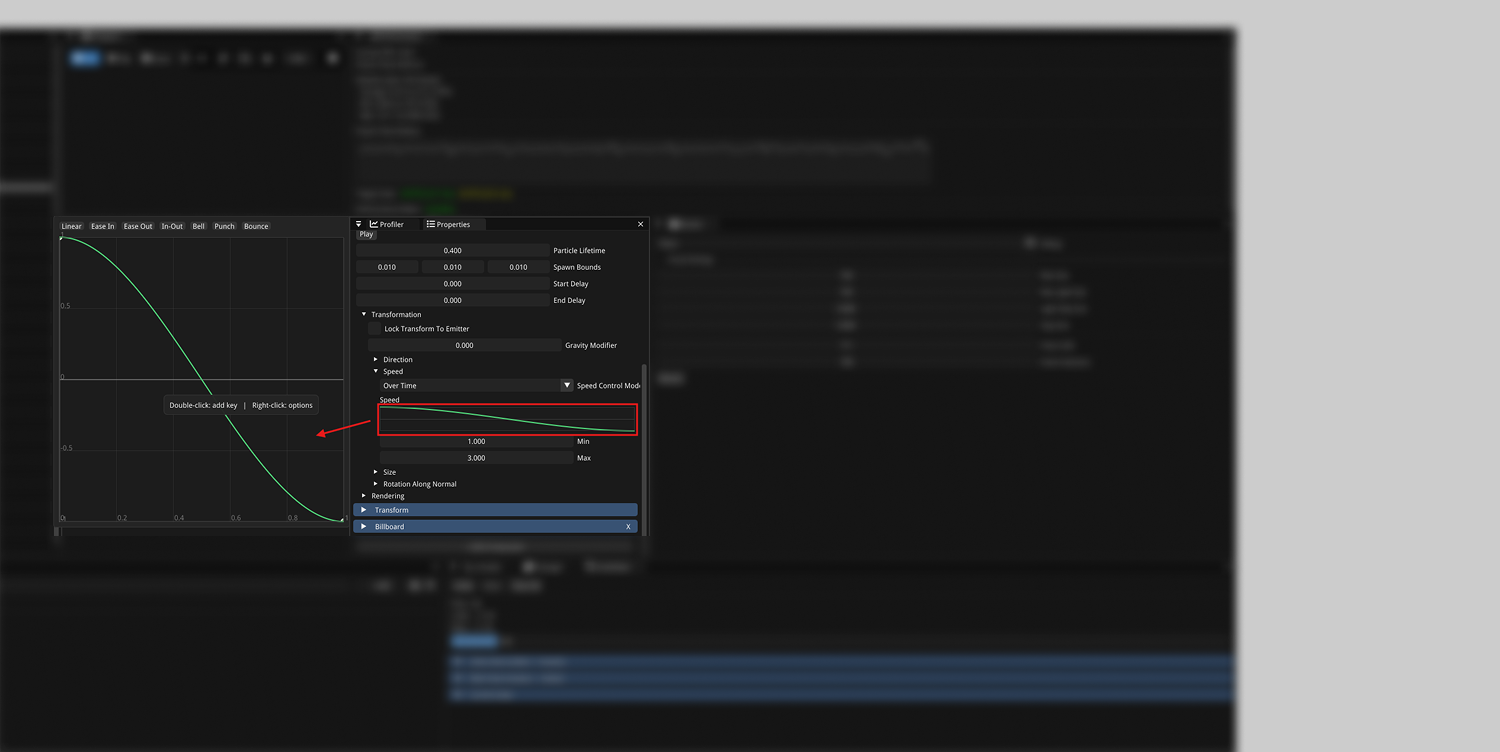
Curve Editor

Curve Editor - Implementation

To use this curve in a component is very simple. Just change a float value in the property to a CurveFloat value. This is a specific class that holds the curve data and can be used to evaluate over time.

The Evaluate function does all the work to determine where on the curve you are and should be used in an update function of a system to determine what to do with that value. The people that implemented this into their features were satisfied with how to use it and were able to do all the things they wanted with it.

class CurveFloat
{
public:
    std::vector Keys;

    float Evaluate(float time) const;

    int AddKey(float time, float value);
    void RemoveKey(int index);
    void SortKeys();
    void RecalculateAutoTangents();

    bool Empty() const;
    float StartTime() const;
    float EndTime() const;
    float MinValue() const;
    float MaxValue() const;
};                    
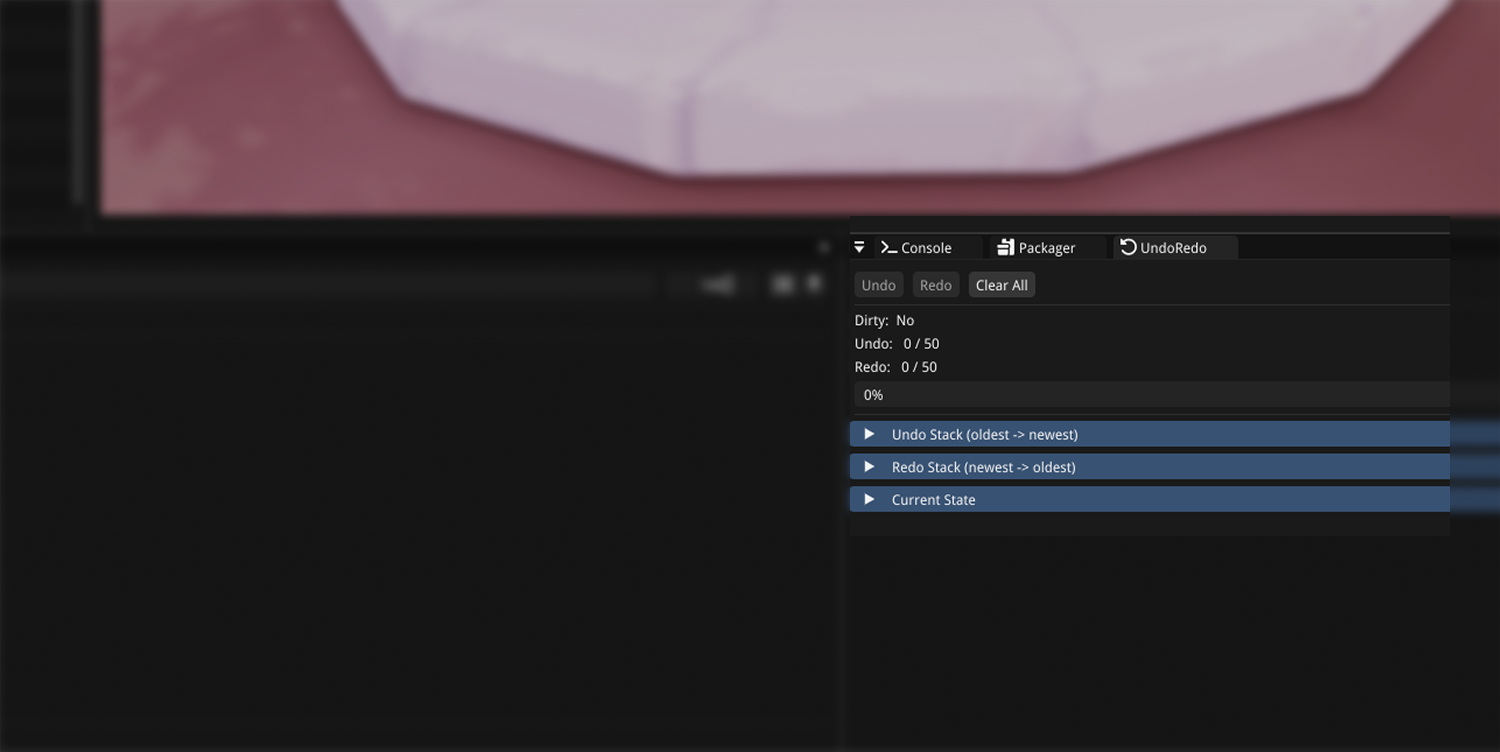
Undo Redo

Undo / Redo

The feature to have undo and redo in the engine was one that came up a lot during the first part of the project. The other users were used to that feature from other engines, but we did not have this yet. So this was something that should be added as fast as possible.

The way I implemented this was quite naive at the time but it worked (a bit slow though). I used a circular buffer to allow for a certain amount of actions to be undone and redone again. The thing that was stored here was a snapshot of the entire editor state. This is the part that was naive, because there already was a way to save and restore this. In the end this was not the best solution for this problem. It would have been better to make use of the command pattern for every action that can happen in the editor. This way you just need to store what the command was that was used and how to reverse that command.

Animation Syncing

Multiple states

During the first stages of this project we decided that the main character would have multiple different states he could be in. The artists wanted to make this distinction by giving the main character accessories to wear in those different stages. In this stage it was not really clear what those accessories would look like which made it a lot harder to come up with a way to make sure this would work.

Sockets

The first approach was using sockets to attach something like a helmet to the character. I made a quick prototype which was working fine, until we heard from the artist that the accessories would have their own (small) animations. This made the socket approach a lot harder.

This meant that the socket approach was not going to work for the things that the artist want out of the main character. The character and the accessories needed to have their own skeleton animations with a system to make sure that they are both in sync.

Animation Syncing

The way I implemented this was using a combination of the the [animation state machine] in BlendMotion and the certain function calls to handle going in and out of a certain character state (with the corresponding accessories). There also needed to be an animation to swap between the states. This was basically played as a transition between the states.

This system also made sure that the states and accessories that were not in used were not updated to make this system more performant. The code to actually change form ended up being pretty simple. The code snippet shows the call to the function to change forms and also how that function works. In the end changing to a form is also not that special. It is just setting some variables in the CharacterFormComponent and set some timing values to make sure the transition works correct.

if (input.switchFormPressed && characterComp.moveState.isGrounded && formInput)
    {
        characterForm.NextForm();
    }
    
void CharacterFormComponent::NextForm()
{
    switch (form)
    {
        case CharacterForm::NONE:
            ChangeToStrengthForm();
            break;
        case CharacterForm::STRENGTH:
            ChangeToManipulateForm();
            break;
        default:
            ChangeToNoneForm();
    }
}

void CharacterFormComponent::ChangeToStrengthForm()
{
    if (form == CharacterForm::STRENGTH) return;
    if (formChangeLockout > 0.f) return;

    previousForm = form;
    form = CharacterForm::STRENGTH;
    isChangingForm = true;
    formChangeLockout = 2.f * fadeDuration;  // x2 because the duration is 2 transitions
}

End Result

During this project I was working a lot in service of other in my role as lead engine developer. When people had issues with the engine or wanted something to be added, they came to me, which meant that I learned a lot about how to make software that other people need to use to make something cool!

Oh! Meow God - Itch.IO page

Feel free to reach out!

Jesse Mampaey

jesse.mampaey@gmail.com

Based in The Netherlands & available worldwide